TL;DR
- Super quick way to update video embeds from YouTube to only show your content, not related videos.
- YouTube’s recommendations can be weird sometimes, so take back some control.
- ‘rel=0’ is a simple parameter to fix all of this.
Super quick article/tip I have found handy over the years that some may know about, some may not. Either way, here it is.
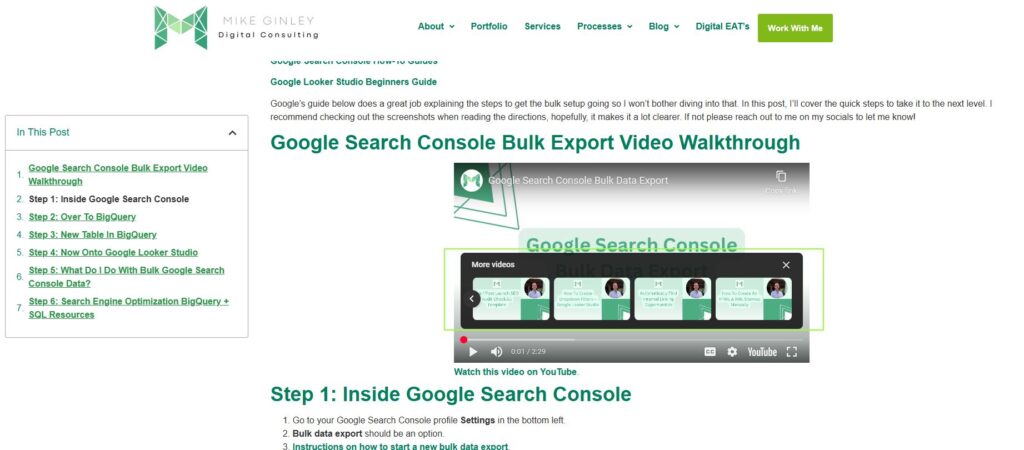
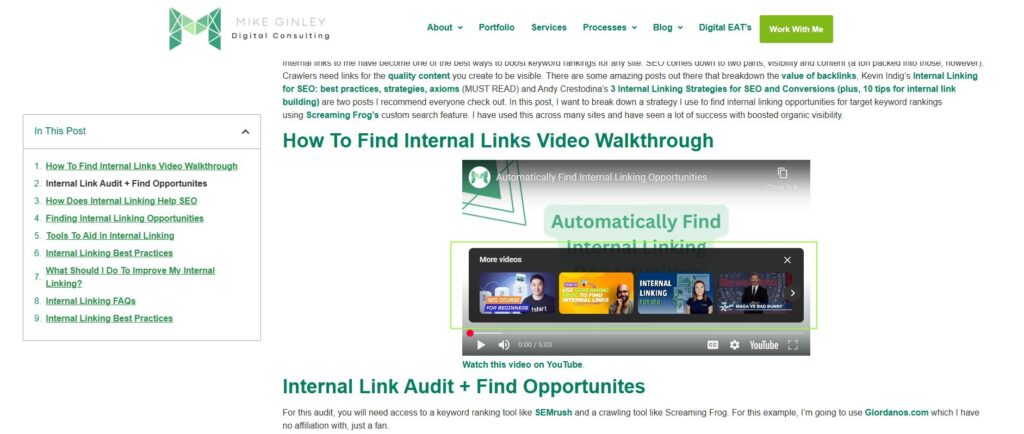
Video is important for content marketing; we all know it. Pretty much everyone is using YouTube to host/serve up their videos on their website, but one annoying piece is that when pausing or when the video ends, it shows related videos or videos similar to the viewer’s past search behavior. It doesn’t always share your channels’ videos and keeps people on your content.
Some may not think this is important, and it really may not be. But if you want to control what your brand is showing around, this matters. I’ve even seen related videos saying ‘don’t use this company’ showing on that company’s video. YouTube can show some weird related stuff, and there is a way to control it.
So there is a little tip you can do when embedding your videos from YouTube to only show your channels other videos.
How To Only Show Your Channels Related Videos On YouTube
?rel=0
Just add this right after the video ID. There is some parameter there now that im not familiar with, but when removing nothing changes so far, so I say get rid of it and just have the ‘rel=0’ like I have below.
Original Embed Code
//<iframe width="560" height="315" src="https://www.youtube.com/embed/OQOvN3KAxBM?si=6WvAyVI93Pl5sLsL" title="YouTube video player" frameborder="0" allow="accelerometer; autoplay; clipboard-write; encrypted-media; gyroscope; picture-in-picture; web-share" referrerpolicy="strict-origin-when-cross-origin" allowfullscreen></iframe>Updated Embed Code
//<iframe width="560" height="315" src="https://www.youtube.com/embed/OQOvN3KAxBM?rel=0" title="YouTube video player" frameborder="0" allow="accelerometer; autoplay; clipboard-write; encrypted-media; gyroscope; picture-in-picture; web-share" referrerpolicy="strict-origin-when-cross-origin" allowfullscreen></iframe>